
Digital Guest Screens
your hotel in the guest’s pocket
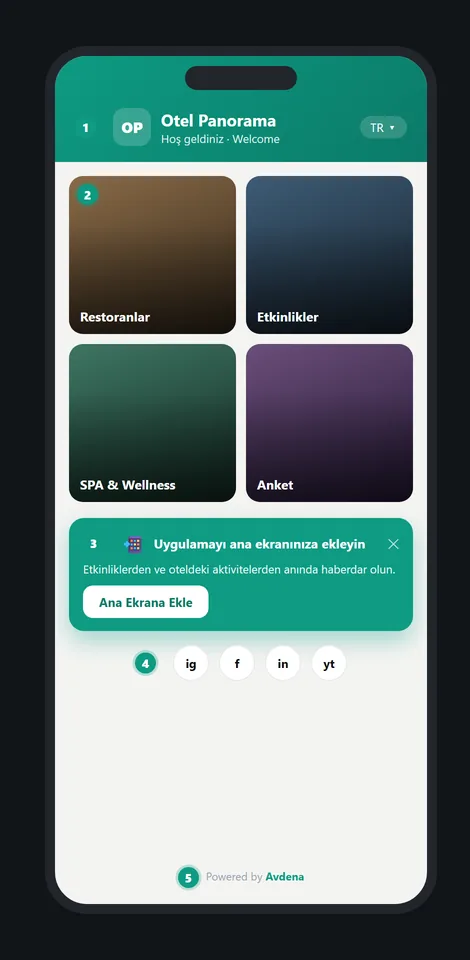
The guest scans the QR in the room, on the table or in the lobby; your branded welcome screen opens instantly in their own language. Menus, spa, events, room info, WiFi and surveys gather in one Guest Hub — the guest adds it to their home screen like an app. No app to install, multilingual and entirely your own brand.
For hotels, resorts, spas and venues
What are digital guest screens, and who are they for?
Avdena Digital Guest Screens turn every guest touchpoint — room, restaurant, lobby, pool, spa — into branded, multilingual digital pages. This is the guest side of the QR Content Management module. The guest downloads nothing: they scan a QR and the page opens in their own language. The print stays fixed; you change the content from the panel and the code is never reprinted.
Guest Hub
All services on one welcome screen; added to the home screen like an app.
Auto in 5 languages
TR·EN·RU·DE·AR; opens by browser language.
Fully your brand
Your logo, colours and own domain.
Print stays fixed
Content updates from the panel; the QR never changes.
Your hotel like an app, in the guest’s pocket
One QR; menus, events, spa, surveys and room info gather on one welcome screen. The guest adds the page to their home screen like a real app (PWA) and opts in to notifications.
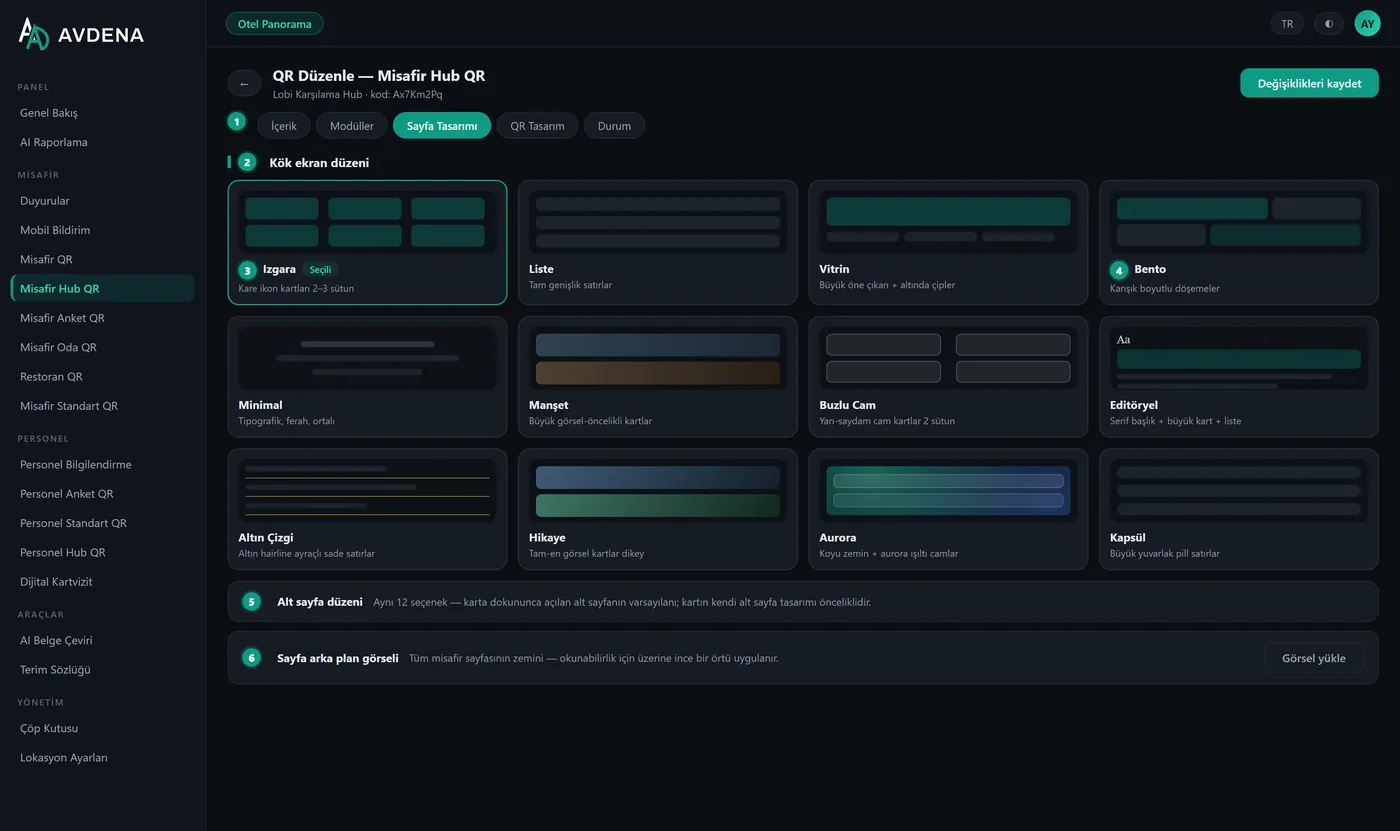
- 12 layout designs, two-level cards
- Add-to-home-screen + push opt-in
- Instant language switch on screen
One QR per room, per category
Room service, TV guide, escape plan, WiFi, spa: fixed codes for every room. Add hundreds of rooms via Excel, upload content in bulk by file name, print all codes as one ready-for-press PDF. Content updates never reprint the code.
- Room × category structure
- Bulk rooms, bulk content, bulk print
- Content can be PDF / image / link / video
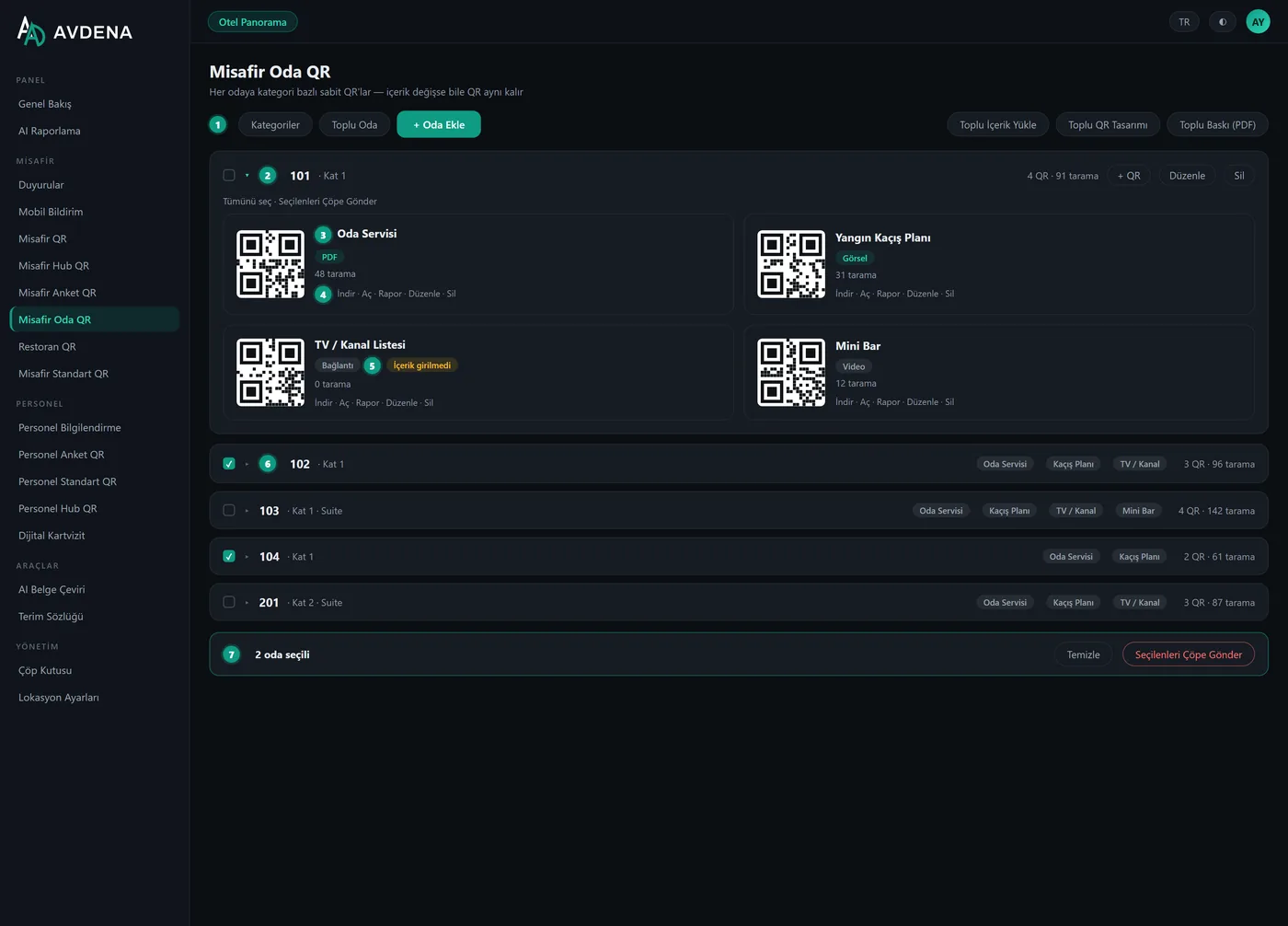
Table codes that survive menu changes
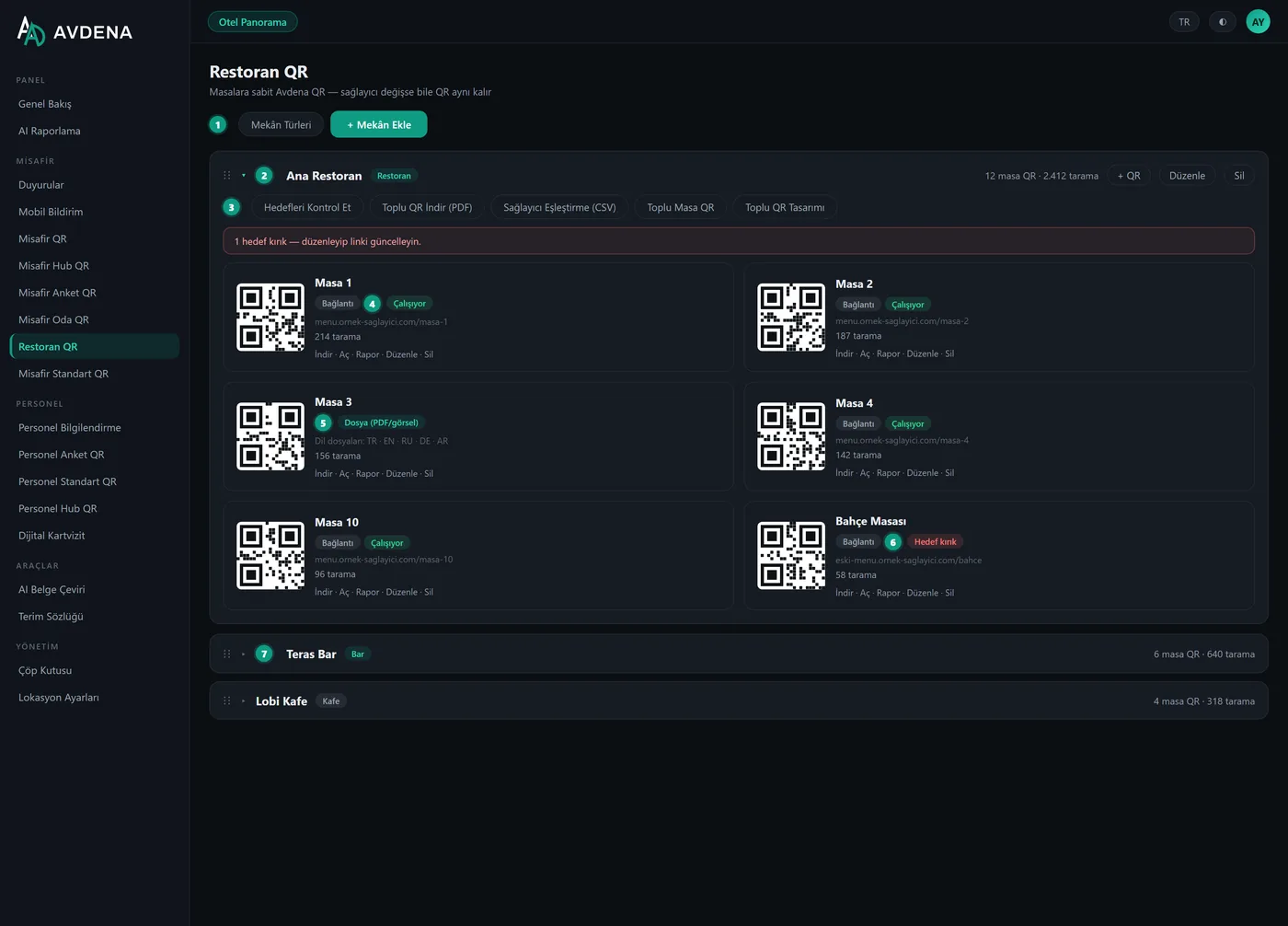
Links your existing menu (a PDF or a link) to a fixed QR and shows it under your branded bar. Change the menu — or even the provider — and the printed code on the table stays the same.
- Link mode or per-language menu files
- Health check: spot broken menu targets
- Bulk table import from Excel/CSV
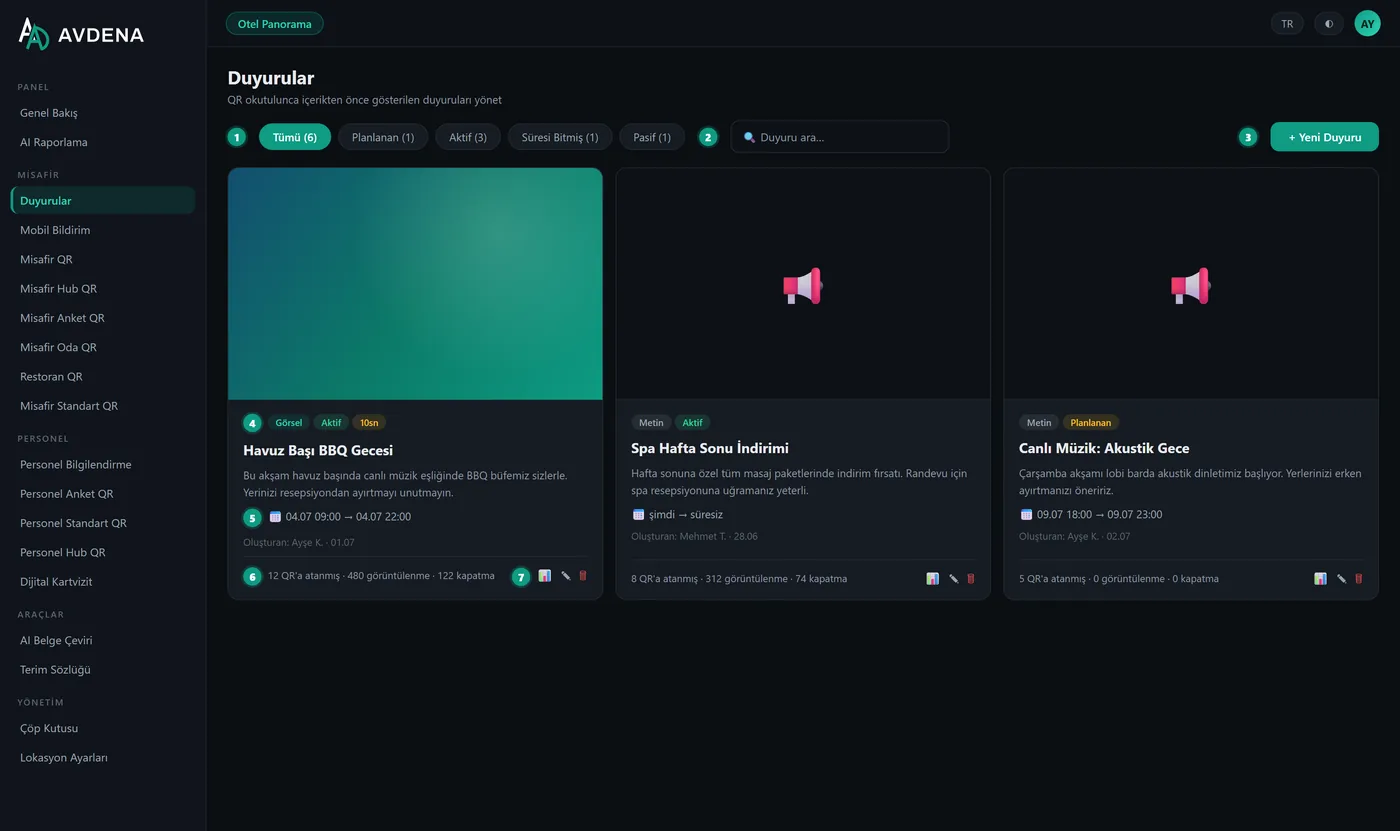
A branded welcome before any content opens
Events, campaigns or maintenance: a branded announcement card shown before the content opens. Schedule start/end; optionally send it as a push notification too.
- Schedulable start / end
- Optional mobile push
- Each guest in their own language
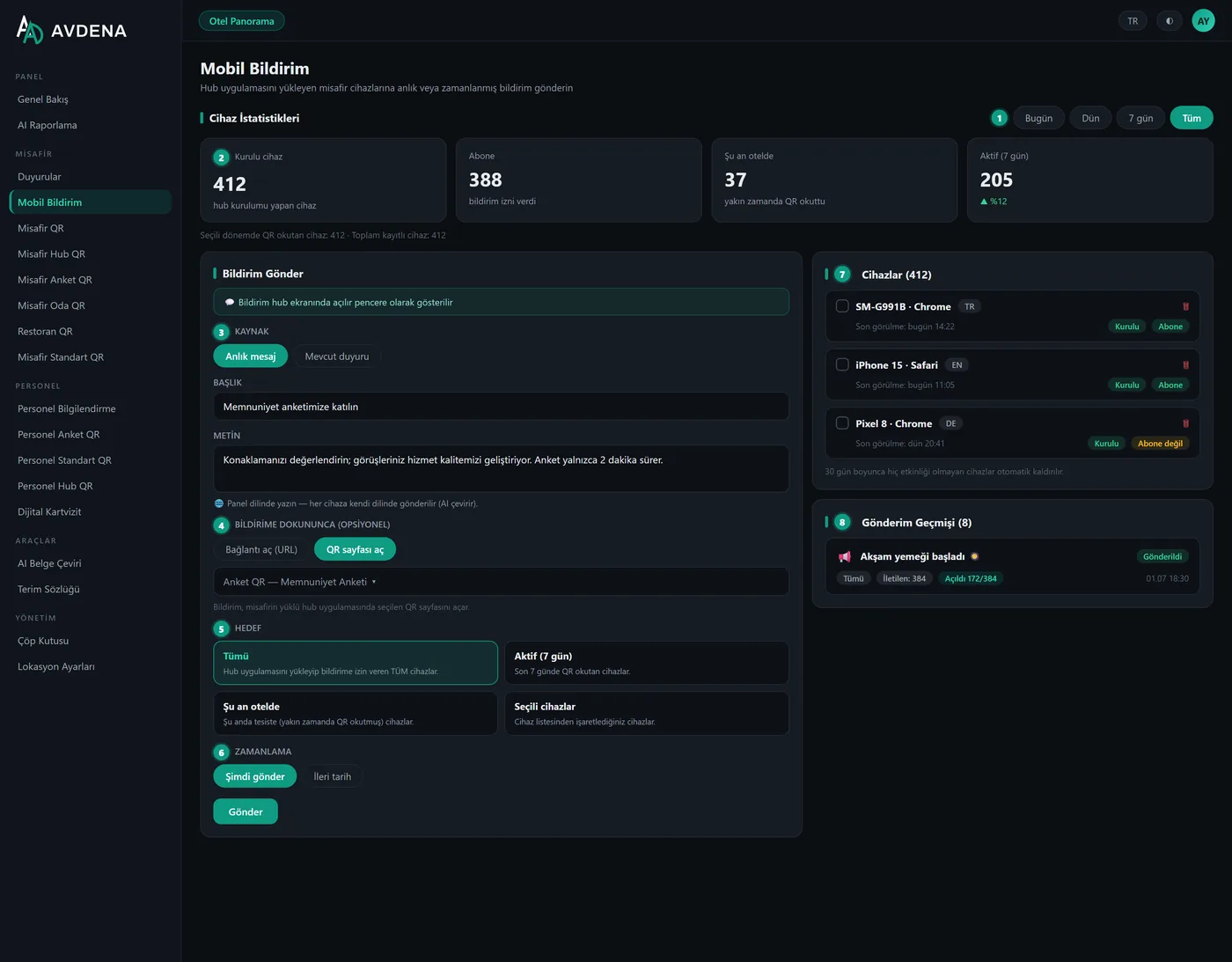
Instant notifications without building an app
Send instant or scheduled messages to every device that installed your Hub. Each guest receives it in their own language; a tap opens the page you chose inside your hotel app.
- Targets: all · active (7 days) · on-site now · selected devices
- Live device list with install & subscribe badges
- Delivery, open-rate and dwell reporting
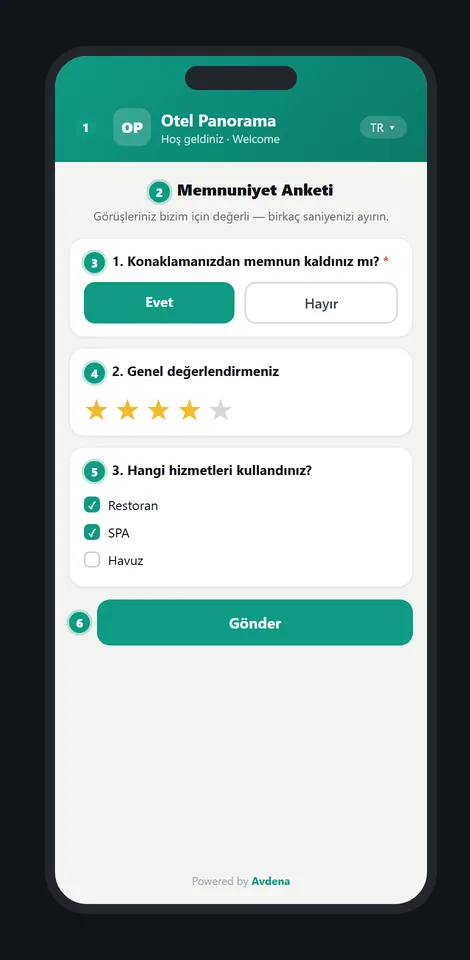
Satisfaction surveys and a digital business card
Build multilingual guest-satisfaction surveys and read responses live in the panel — with an AI summary. A digital business card saves to the phone with one tap.
- 8 question types; guests answer in their own language
- Per-question analytics + AI summary
- Digital business card: print-ready PDF
For every touchpoint
In the room
Escape plan, room service, TV, WiFi — room × category QR.
Lobby & reception
Welcome screen, event and campaign announcements.
Spa & pool
Service menus, information and wayfinding.
Restaurant & bar
Menu QR and table-specific content.
A guest experience in three steps
The guest scans
In the room, on the table, in the lobby… the camera is enough. No app, no sign-up.
A branded screen opens
With your logo and colours, in the guest’s own language.
You manage the content
Update from the panel; the print stays fixed and scans are reported.
Guest screens are part of the Avdena QR Content Management module:
Frequently asked questions
The most common questions about digital guest screens.
What are digital guest screens for?
They turn every hotel touchpoint — room, restaurant, lobby, pool, spa — into branded, multilingual digital pages. The guest scans a QR and the welcome screen opens in their own language — from the menu to room info, from events to a survey.
Does the guest download an app?
No. Pages open in the browser. The Guest Hub can optionally be added to the home screen like an app (PWA), but no store or download is required.
What is the Guest Hub?
A branded page that gathers all your hotel services on one welcome screen: menus, spa, events, room info, WiFi, surveys. It has 12 layout designs and the language switches instantly on screen.
How is in-room QR set up?
A fixed code is generated per room × category (room service, escape plan, TV, WiFi). Hundreds of rooms are added via Excel, content is uploaded in bulk by file name, and all codes print as one PDF. The code is never reprinted when content changes.
How many languages are supported?
The guest side is auto-translated into 5 languages (TR·EN·RU·DE·AR) and opens by browser language. Every text you enter is auto-translated.
Do I have to reprint the QR when I change content?
No. The printed QR is fixed; you update the content instantly from the panel. The print never changes.
Can I send notifications to guests?
Yes. Instant or scheduled push goes to devices that installed the Hub; each guest receives it in their own language and a tap opens the relevant page. You don’t need to build an app.
Is it fully our own brand?
Yes. The panel and every guest page open with your logo, colours and own domain — fully white-label.
Let’s take your guest experience digital today
Guest Hub, in-room QR, welcome and push — with no app to install, multilingual and your own brand. We handle the setup with your brand and content.
Faults and requests are answered by e-mail.